Features
What PaceAlgo putson your chart.
Three engines, each used only where it was tested. The same rules on every chart: signals that never repaint, a stop and target with each one, and a plain stay out when conditions aren't there.
On a live chart
When to trade,and when not to.
Two real TradingView charts. On one the conditions lined up and a signal printed. On the other they didn't, and the tool said so.
Live chart · 01
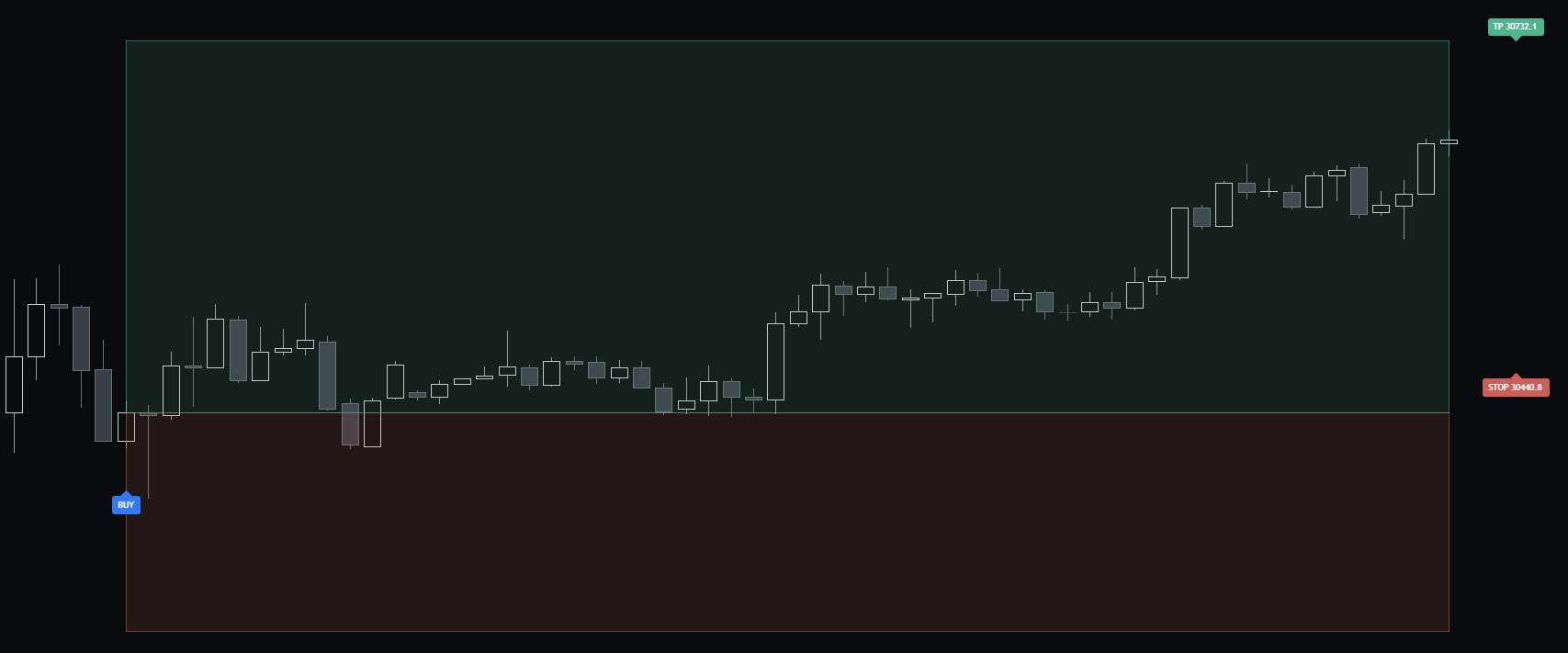
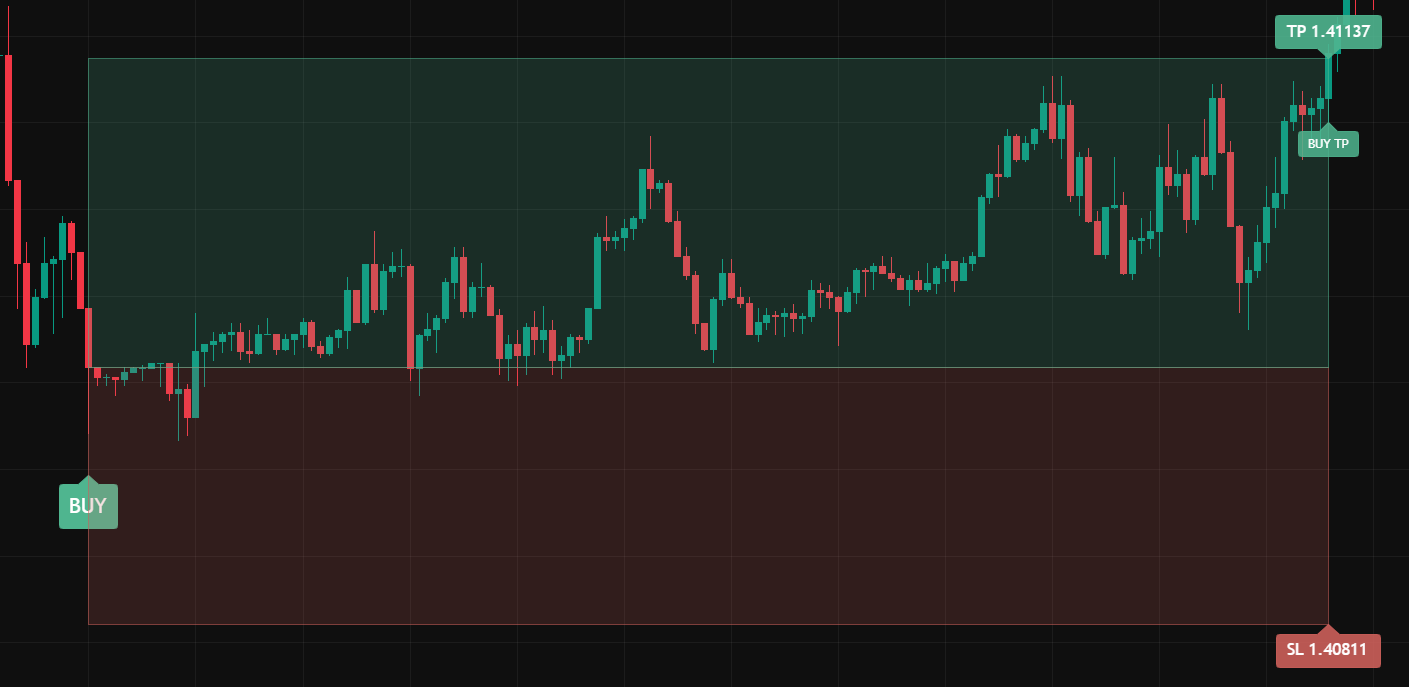
Conditions aligned: a BUY
The BUY printed with its target and stop already drawn. Price spent most of the trade inside the zone, then reached the target, marked BUY TP.
Live chart · 02
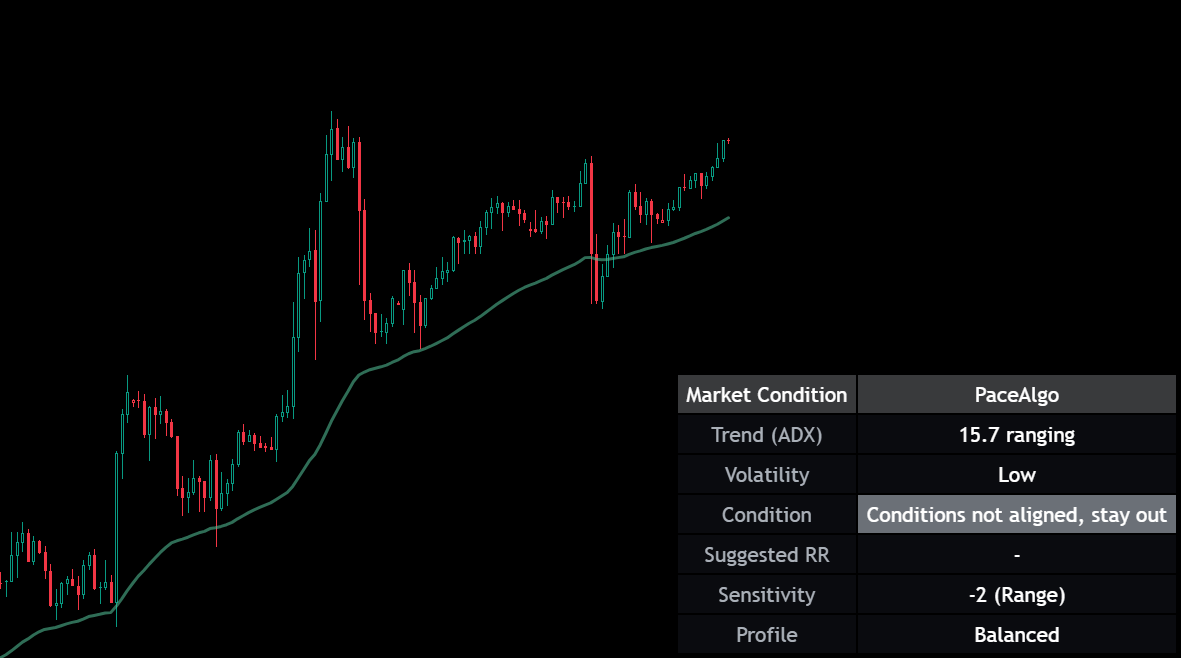
Conditions not aligned: stay out
ADX 15.7, ranging, volatility low. The panel reads conditions not aligned, stay out, suggests no risk-reward, and no signal printed on this stretch.
One trade that reached its target is one trade, not a typical result. Every signal, losses included, is on the public record.
Screenshots from September 2026. PaceAlgo is updated regularly, so colours and details on your chart may differ. Subject to change.
Three engines
A different enginefor each kind of market.
01 · FX majors
Signal Engine
On FX majors, a machine-learning model scores the quality of each setup and fires only the top tier. Trained with walk-forward validation across market regimes and measured on data it never saw. A signal means the model rated the setup, not that a line crossed.
02 · Indices
Structural Detection
On major indices, a deterministic detector built and frozen on a seven-year holdout. No fitting after the fact. The rules face fresh data, and the results stand as measured.
03 · Everywhere
Market Read
On every other market, a rigorously tested structure-and-regime engine: trend direction, relative strength, and whether conditions support a trade at all, plus the discipline to say “stay out” when they don’t. Not an edge claim, an honest second opinion on every chart you trade.
Validated signal detection on FX majors (5m) and major indices (daily). Everywhere else, PaceAlgo is an honest market-structure read. Not an edge claim. How each was tested is on the proof page.
On-chart toolkit
Everything that shows upon the chart.
Beyond the signals, PaceAlgo draws the context you need to judge a setup. Each part can be switched off in the settings, and none of those switches changes which signals fire.
Signal labels
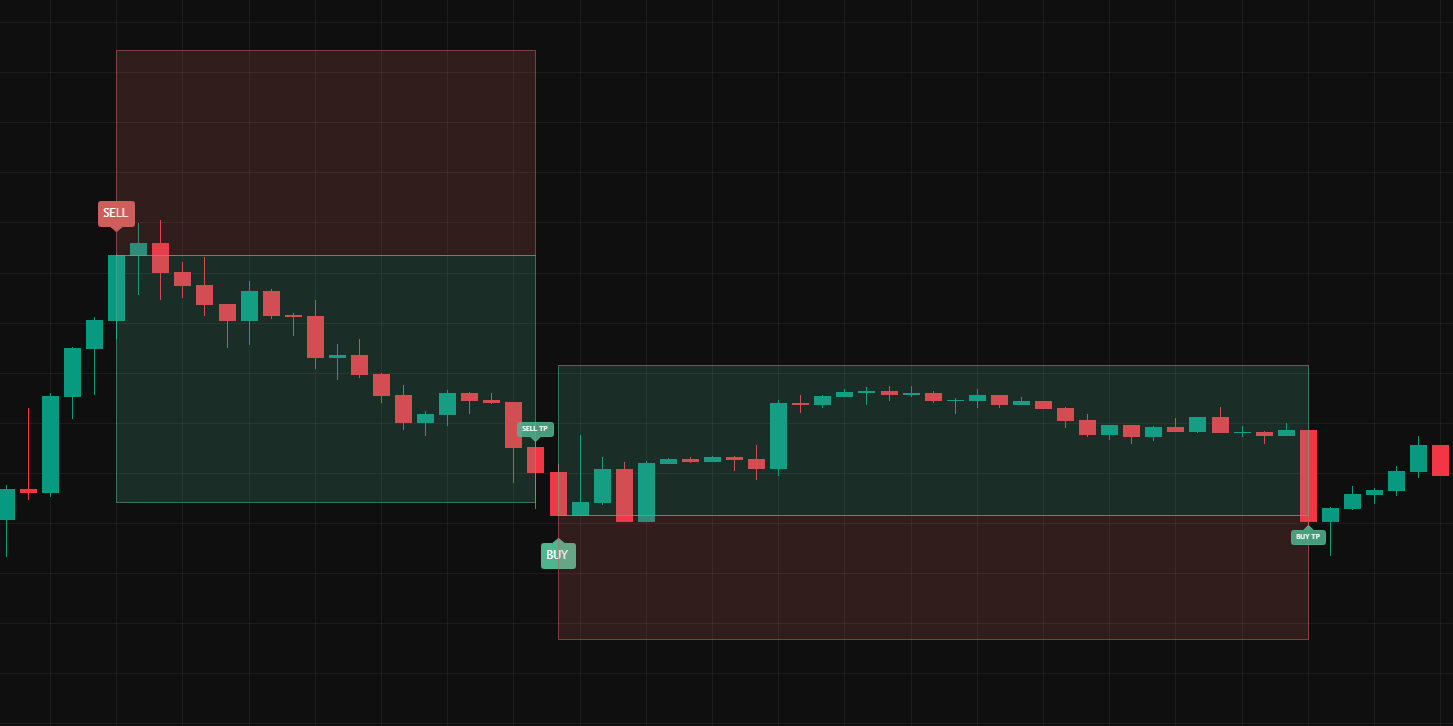
A BUY label below the bar or a SELL label above it, on the bar the trade opens and only when the engine's conditions line up. No label means no setup.
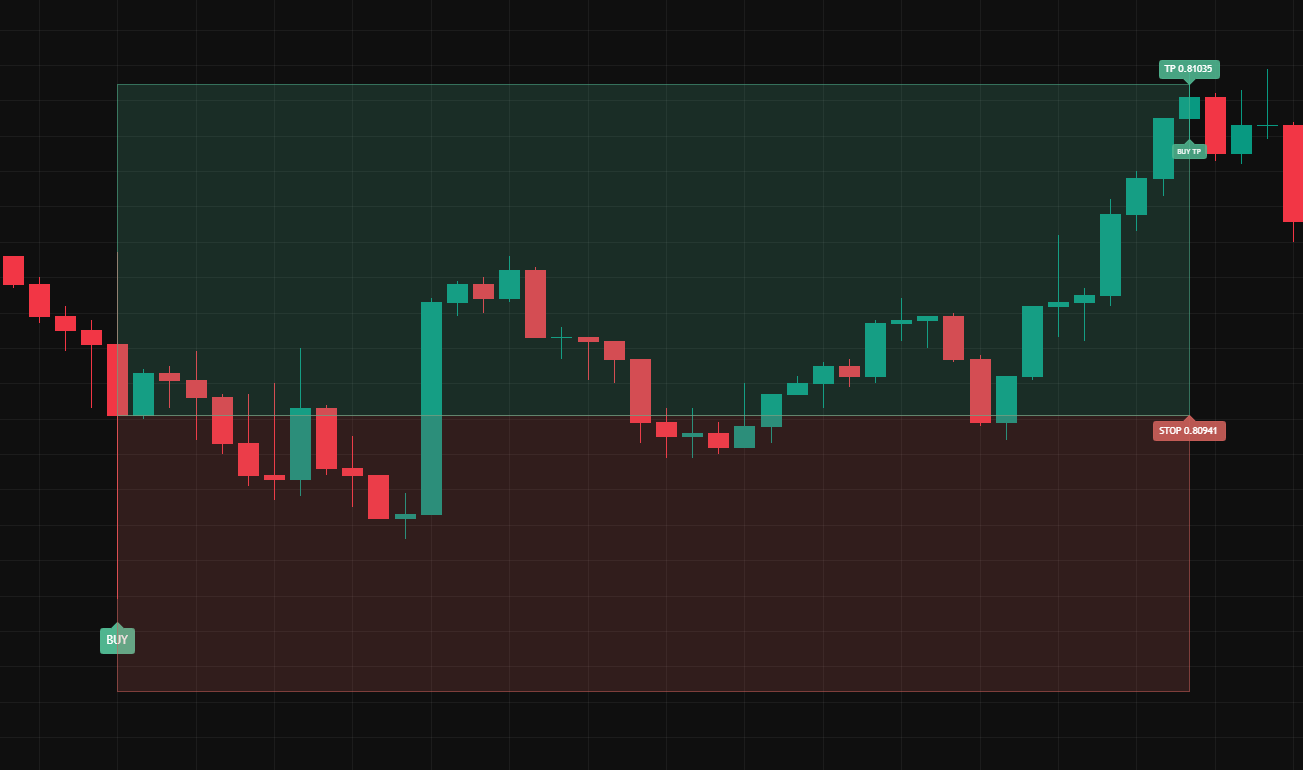
Stop and target zones
Filled boxes from the entry: green to the take-profit, red to the stop-loss, with both prices tagged. The risk is defined before you enter.
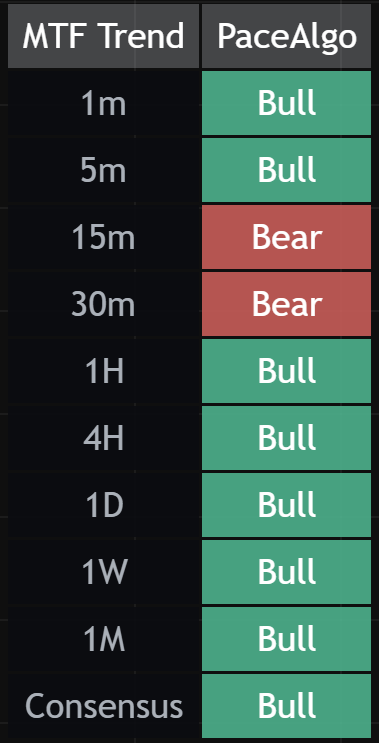
Multi-timeframe dashboard
Bull, Bear or Flat on every timeframe from 1m to 1M, with a consensus row. Whether the timeframes agree, in one glance.
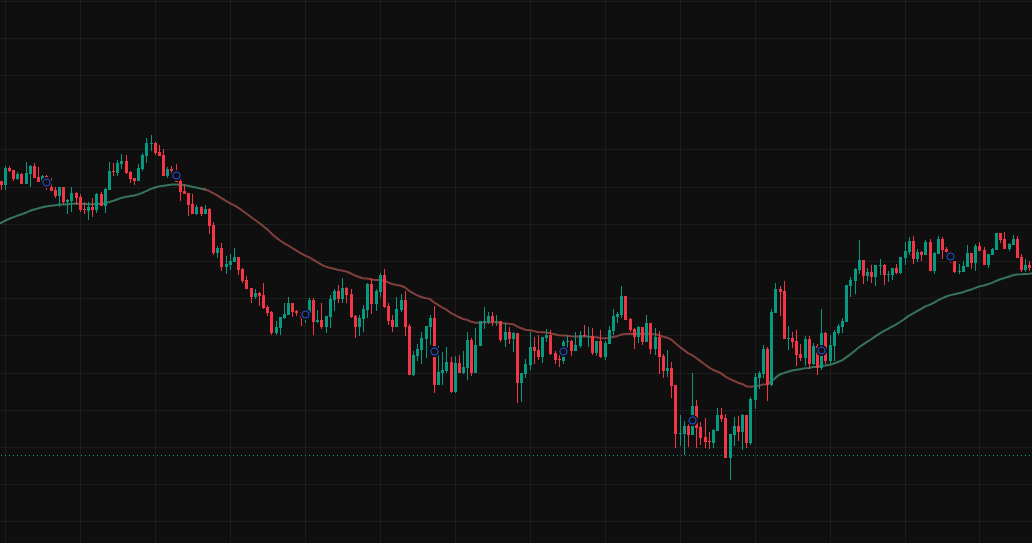
Trend baseline
A moving-average line on price that takes the colour of the dominant trend, so you can see whether a setup is with the regime or against it.
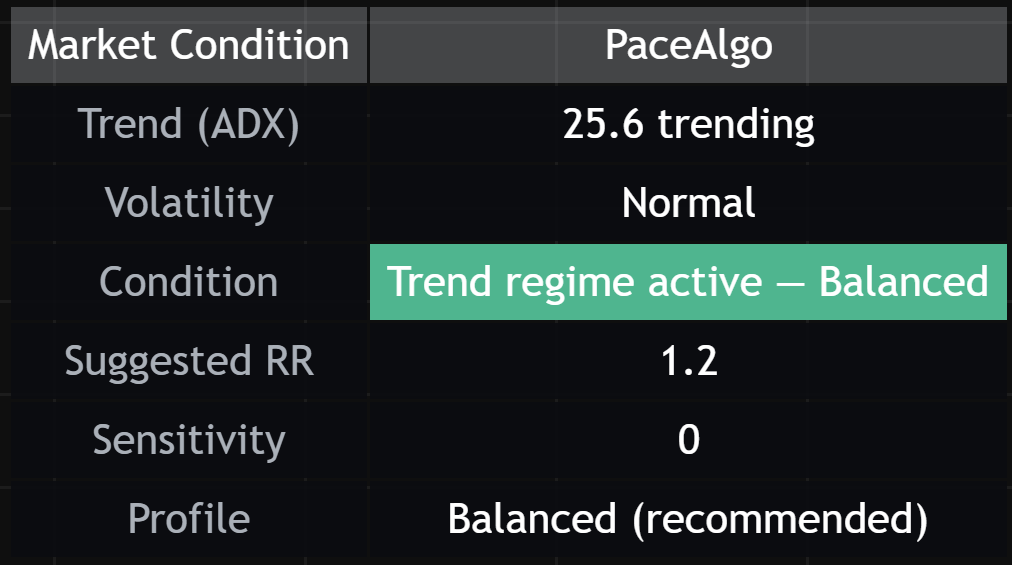
Market-condition panel
Trend strength, volatility and whether conditions support a trade at all. This is where stay out appears, and a suggested risk-reward when a trade is on.
Backtest panel
Test it on your own chart.
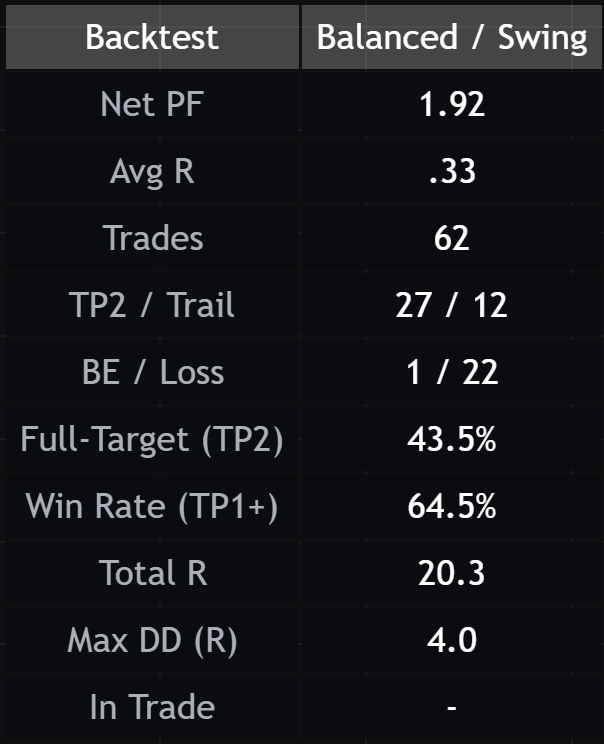
Profit factor, average R, win rate, total R and drawdown for your symbol, your settings and whatever range your chart shows, calculated right on the chart.
The figures in this screenshot are one chart on one broker's feed, before costs. Yours will differ, and they won't match the public record, which is measured on one controlled feed over a fixed window. The panel says so in its last row.
Every setting and every element, explained: read the docs.
Screenshots from September 2026. PaceAlgo is updated regularly, so colours and details on your chart may differ. Subject to change.
The rules
Three rules that holdon every chart.
Whichever engine is running, the same three things are true.
Non-repainting
A signal is fixed once its bar closes. It never moves or disappears afterwards, so the history on your chart is what you would have seen live.
Stop and target with every signal
Both levels are drawn the moment a signal prints. You never have to work out after the fact where the trade was wrong.
It says when not to trade
When conditions aren't aligned the panel says stay out. If you'd rather not see new signals in a ranging market at all, one setting hides them.
The receipt
Every trade,as it closes.
Not a backtest and not a screenshot. This is the live record, published the moment each trade closes, winners and losers. It is still an early sample, so read it as a receipt building in real time rather than a proven long-run number.
449 trades. Every one public.
Losses included. Nothing backfilled. R values are gross.
As of 2026-10-19. Past performance does not predict future returns. Trading involves risk of loss. Not financial advice.
What's included
Every plangets all of it.
No tiers and no feature gates. The plans differ only in how you pay, from $49 a month, cancel anytime.
Compare plansIn every plan
- Full PaceAlgo indicator (invite-only TradingView script)
- Pace AI signal detection and index dip-buy signals
- Market-structure & regime read on every market
- Built-in SL/TP levels · non-repainting
- Private Discord access